Overview
This is a small working loop for running dbt Core with DuckDB on a local machine.
The goal is not to build a full warehouse setup. It is to get a tiny dbt project running with:
- a local Python environment managed by
uv dbt-coreanddbt-duckdb- a CSV seed
- one staging model
- one summary model
- a few basic tests
DuckDB is a good fit for this kind of starter project because it writes to a local database file. No cloud warehouse, Docker service, or account setup is needed.
Setup
Start with a new Python project:
uv init dbt-duckdb-demo
cd dbt-duckdb-demo
uv add dbt-core dbt-duckdb
Then initialize a dbt project:
uv run dbt init analytics
This creates an analytics directory with the dbt project files.
A simple working structure will look like this:
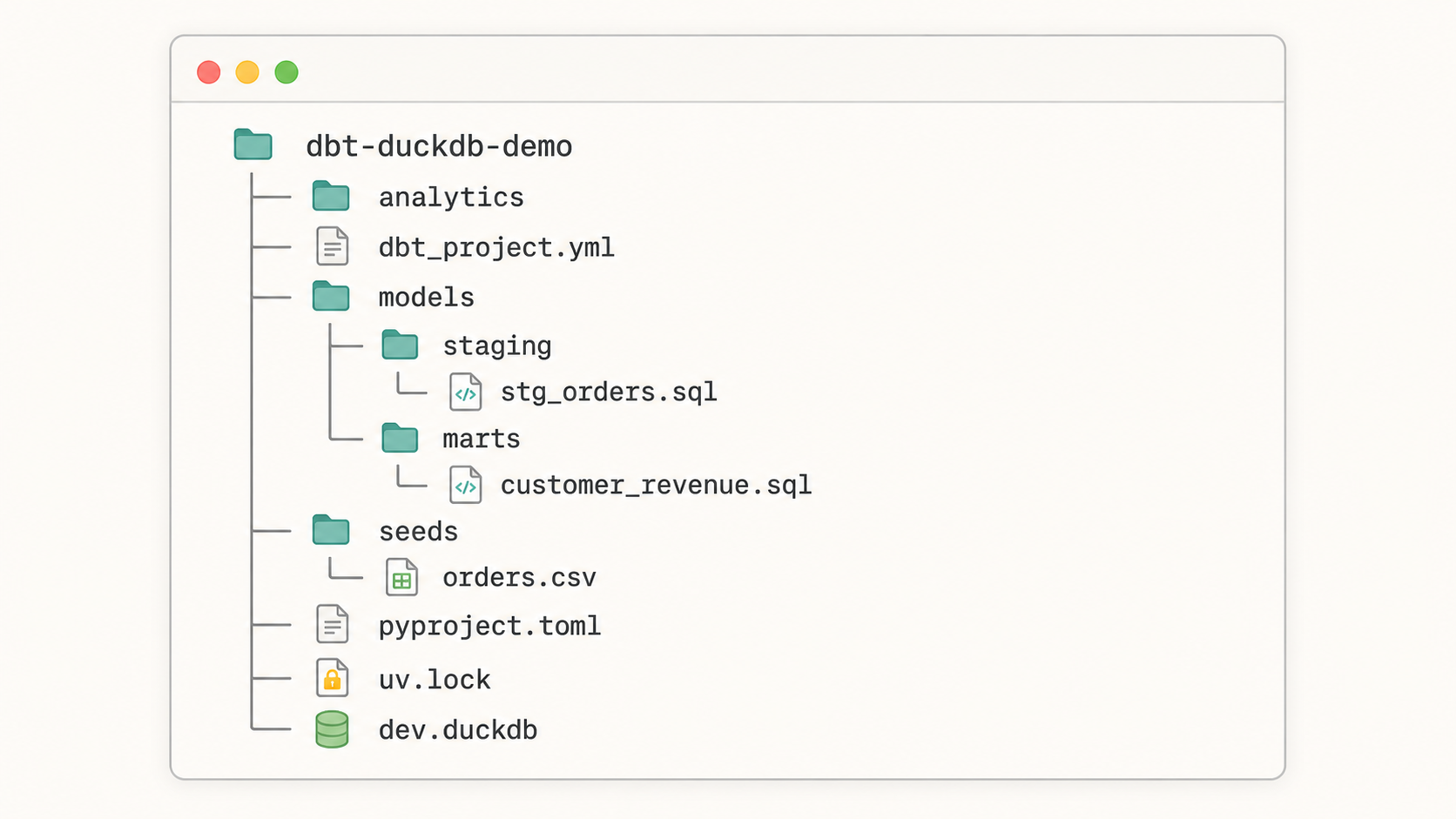
dbt-duckdb-demo/
├── analytics/
│   ├── dbt_project.yml
│   ├── models/
│   │   ├── staging/
│   │   │   ├── stg_orders.sql
│   │   │   └── schema.yml
│   │   └── marts/
│   │       ├── customer_revenue.sql
│   │       └── schema.yml
│   └── seeds/
│       └── orders.csv
├── pyproject.toml
├── uv.lock
└── dev.duckdb
Configure the DuckDB profile
dbt needs a profile that tells it where to write data.
Create or edit ~/.dbt/profiles.yml:
analytics:
  target: dev
  outputs:
    dev:
      type: duckdb
      path: ./dev.duckdb
The profile name, analytics, should match the profile value inside analytics/dbt_project.yml.
If your commands run from inside the analytics directory, ./dev.duckdb will be created there. If you want the database at the repository root, use a relative path instead:
path: ../dev.duckdb
Add a sample seed
Create analytics/seeds/orders.csv:
order_id,customer_id,order_date,status,amount
1,1001,2026-01-03,paid,42.50
2,1002,2026-01-04,paid,19.99
3,1001,2026-01-05,refunded,42.50
4,1003,2026-01-06,paid,120.00
5,1002,2026-01-07,pending,35.25
A dbt seed is a CSV file that dbt can load into the target database.
Run the seed command from the analytics directory:
cd analytics
uv run dbt seed
After this runs, dbt creates an orders table in DuckDB.
Create a staging model
Create analytics/models/staging/stg_orders.sql:
select
  order_id,
  customer_id,
  cast(order_date as date) as order_date,
  status,
  amount
from {{ ref('orders') }}
This model gives the raw seed a cleaner shape. In a larger project, this is where I would usually standardize names, cast types, and keep raw source quirks out of downstream models.
Create a summary model
Create analytics/models/marts/customer_revenue.sql:
select
  customer_id,
  count(*) as paid_orders,
  sum(amount) as paid_revenue
from {{ ref('stg_orders') }}
where status = 'paid'
group by customer_id
This model answers one small question: how much paid revenue does each customer have?
The flow is intentionally short:
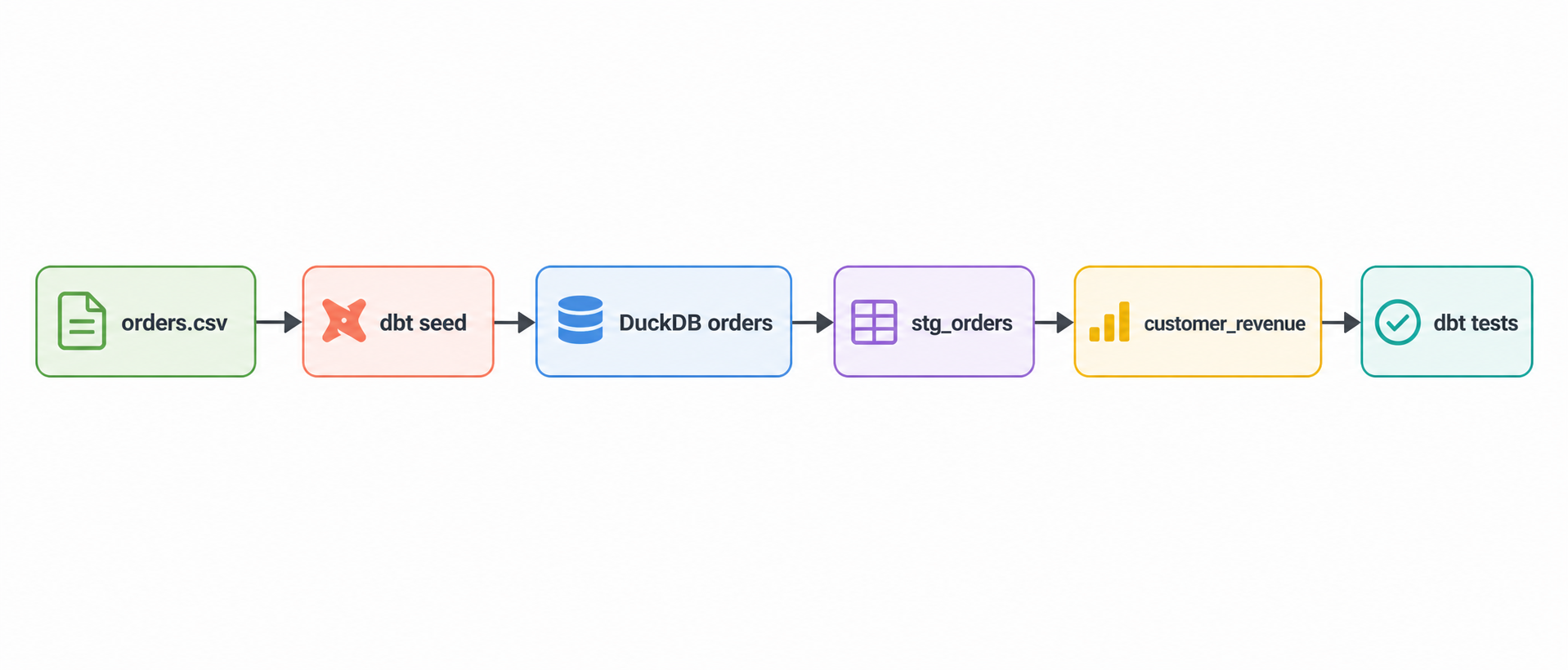
orders.csv
  ↓
dbt seed
  ↓
orders
  ↓
stg_orders
  ↓
customer_revenue
  ↓
dbt test
Add schema tests
Create analytics/models/staging/schema.yml:
version: 2

models:
  - name: stg_orders
    columns:
      - name: order_id
        tests:
          - not_null
          - unique

      - name: status
        tests:
          - accepted_values:
              values: ["paid", "refunded", "pending"]
These tests catch a few simple problems:
| Test | What it checks |
|---|---|
not_null | Every order has an order_id |
unique | No duplicate order_id values exist |
accepted_values | status only contains expected values |
For this sample project, that is enough. The point is to wire in testing early, even when the dataset is tiny.
Run the project
From the analytics directory, run:
uv run dbt seed
uv run dbt run
uv run dbt test
You can also run everything in one command:
uv run dbt build
dbt build runs seeds, models, snapshots, and tests in dependency order. For small local projects, it is usually the command I reach for once the pieces are in place.
Check the output in DuckDB
If you have the DuckDB CLI installed, open the database:
duckdb dev.duckdb
Then query the summary model:
select *
from customer_revenue
order by customer_id;
Expected result:
customer_id  paid_orders  paid_revenue
1001         1            42.50
1002         1            19.99
1003         1            120.00
The refunded and pending rows are still present in the seed and staging model, but the summary model only counts paid orders.
Common fixes
If dbt cannot find the profile, check that ~/.dbt/profiles.yml exists and that the profile name matches dbt_project.yml.
If the DuckDB file appears in the wrong directory, adjust the path value in the profile. Relative paths are resolved from the directory where dbt runs.
If uv run dbt does not work, confirm the dbt packages are installed:
uv tree | grep dbt
You should see both dbt-core and dbt-duckdb.
Next step
A useful next improvement is to add a second seed, such as customers.csv, then join it to stg_orders and build a customer-level mart with names, order counts, and paid revenue.